MultiBank Group
MEX Web Trader
A pro trading terminal that stays calm under pressure.
View live prototype (opens in a new tab)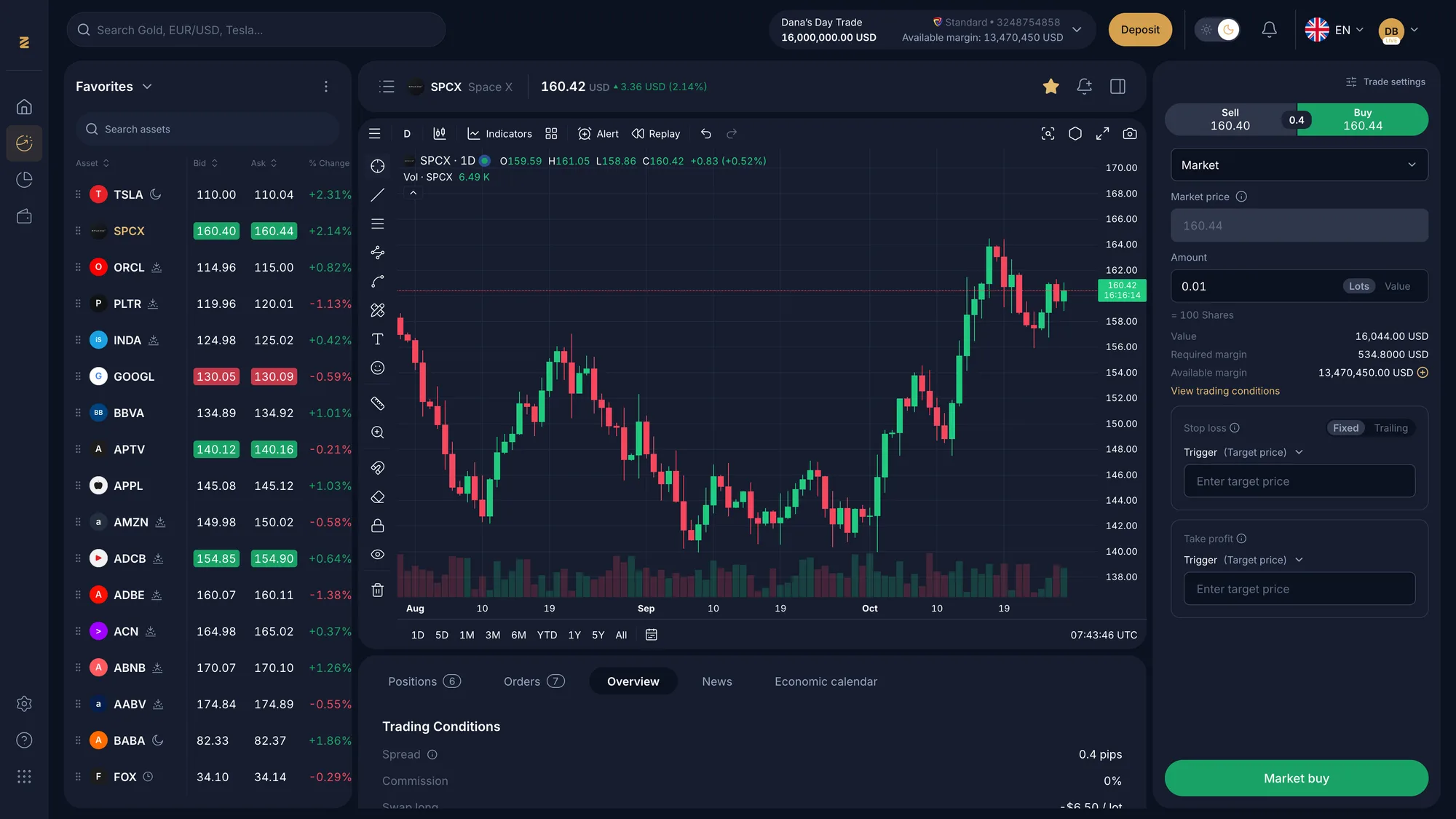
- Brand
- MultiBank Group
- Platform
- Web (desktop)
- My role
- Lead Product Designer
- Year
- 2024
The context. Who it’s for and what had to change.
About the brand
The MEX Web Trader is MultiBank Group’s browser-based platform for active traders. It sits beside the mobile app and serves people who trade on large screens for hours, with a broker turnover of $35B+ a day behind it.
The user problem
Active traders juggle a watchlist, a chart, an order ticket and market context at once, often for hours and often at night. Every extra click, hidden cost or glaring surface is friction at the moment that matters most.
The business goal
Bring the web platform in line with the redesigned app, make order entry harder to get wrong and put trading costs in plain sight, with a dark theme built for long sessions.
Features I designed. The need, the flow, the pixels.
Feature 01
A three-column workspace
See what I’m watching, what it’s doing and how to act, without switching views.
UX decision
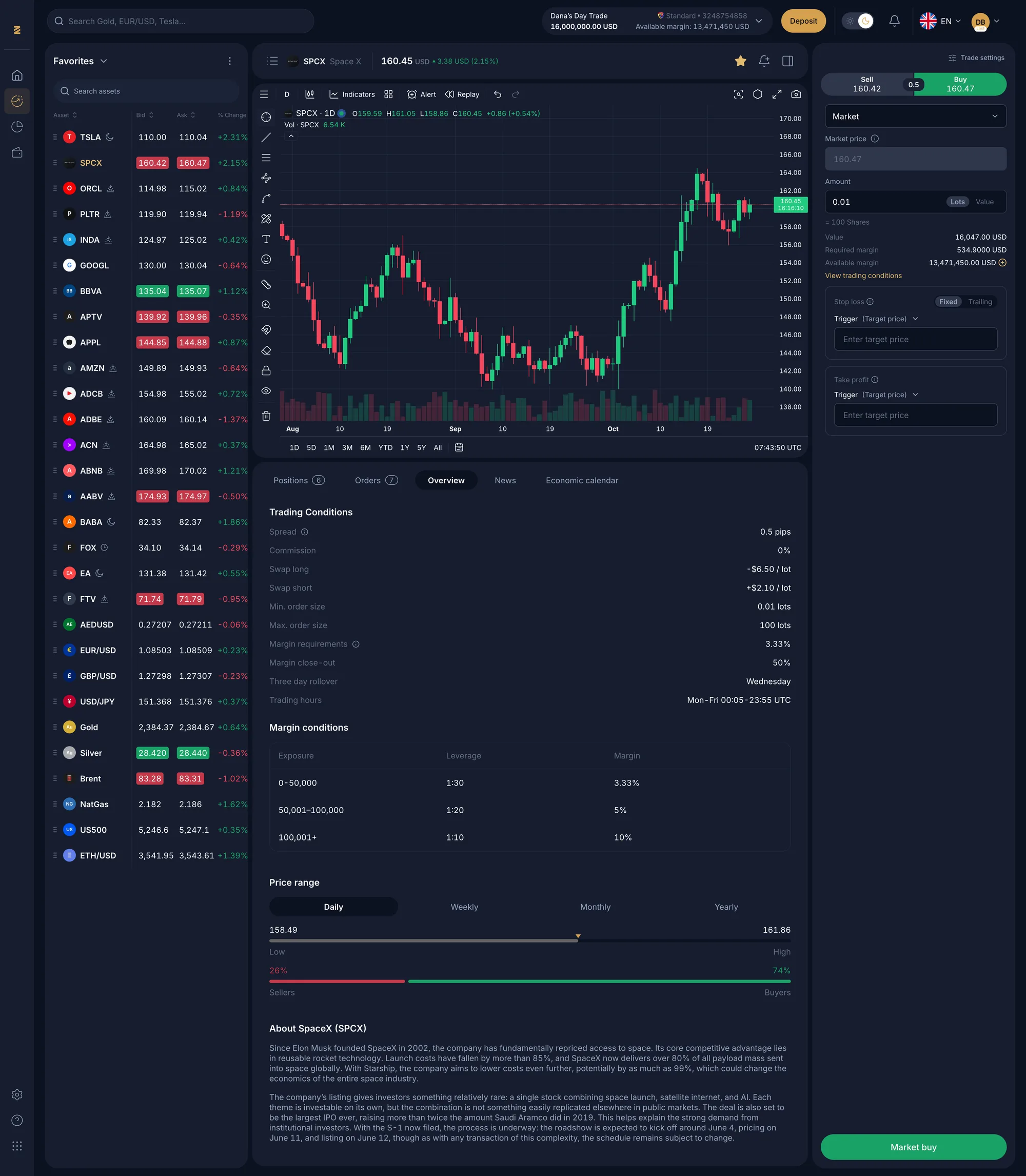
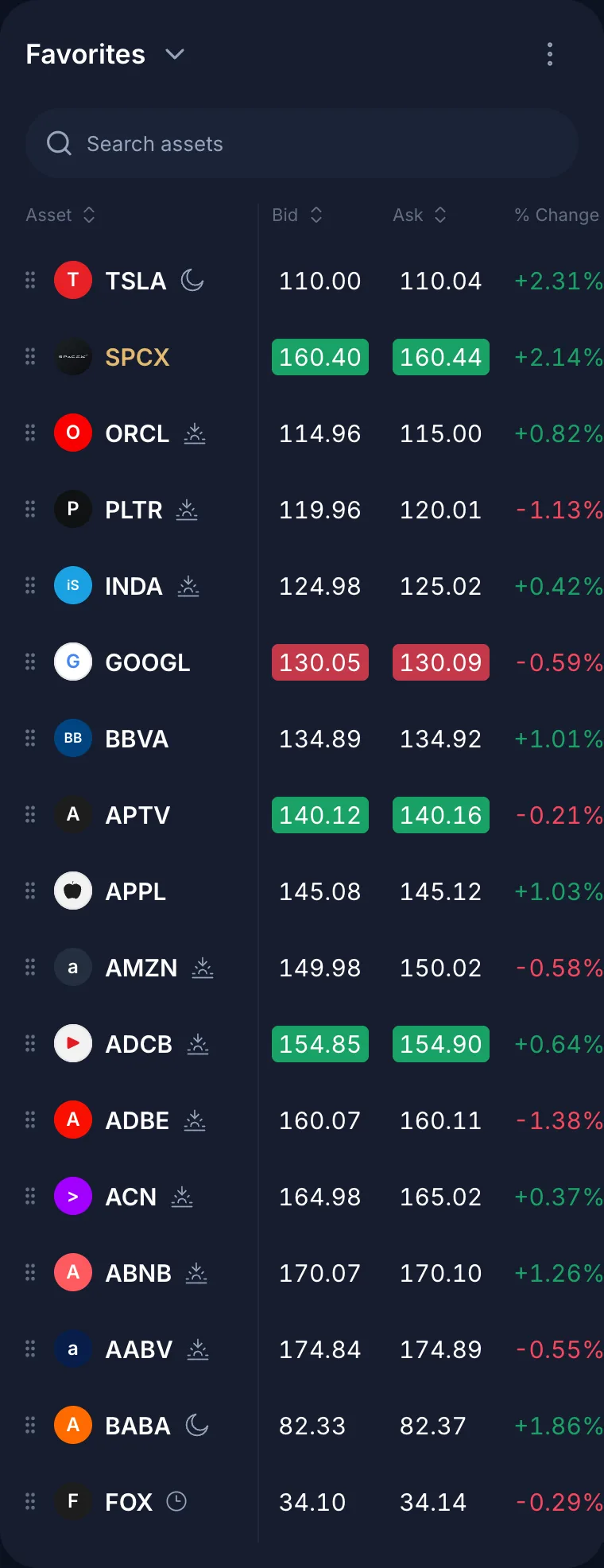
The layout is fixed: watchlist on the left, chart and asset details in the centre, order panel on the right. Account equity and a Deposit CTA live in the top bar, and a slim side nav holds rarely used destinations. The centre column scrolls on its own, so the order panel never leaves the screen.
UI decision
Layered navy surfaces (page, card, layer) separate the three zones without heavy borders, so price colours carry the meaning. Bid and ask cells flash green or red, and gold is kept for brand moments like Deposit.
Feature 02
An order panel that prevents mistakes
Place the right order size with clear risk, quickly.
UX decision
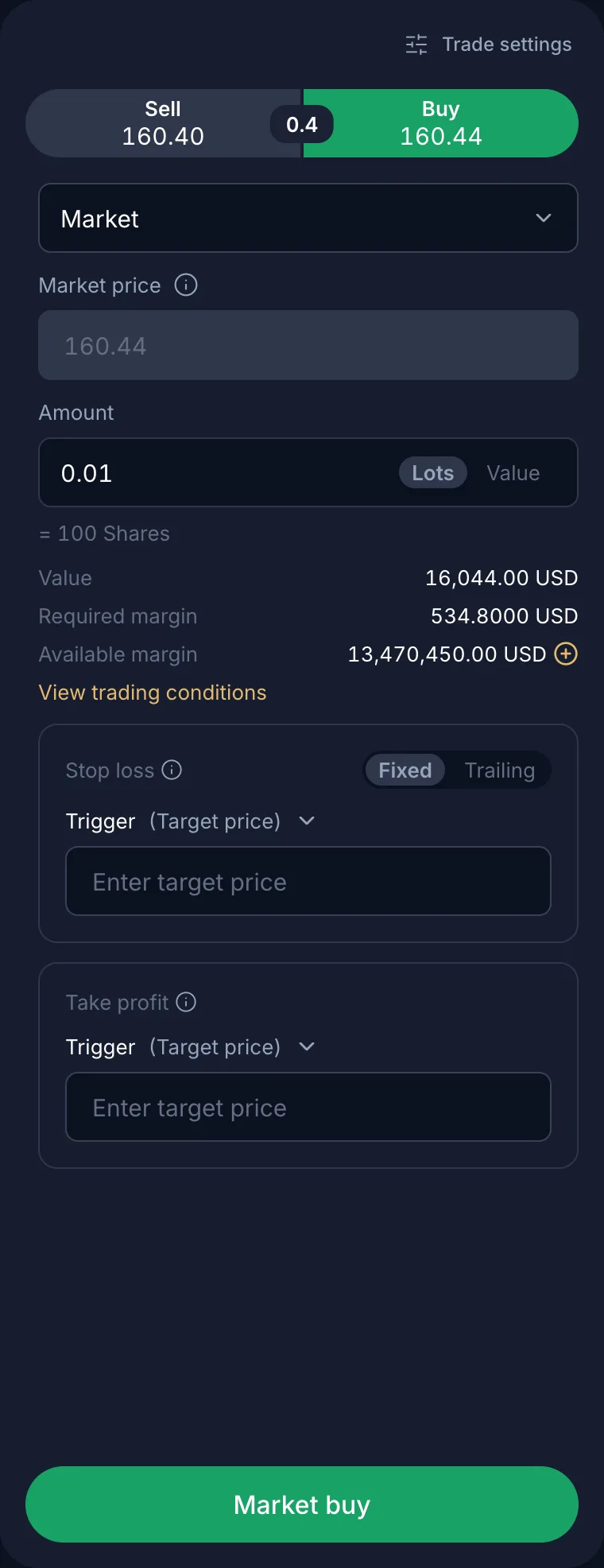
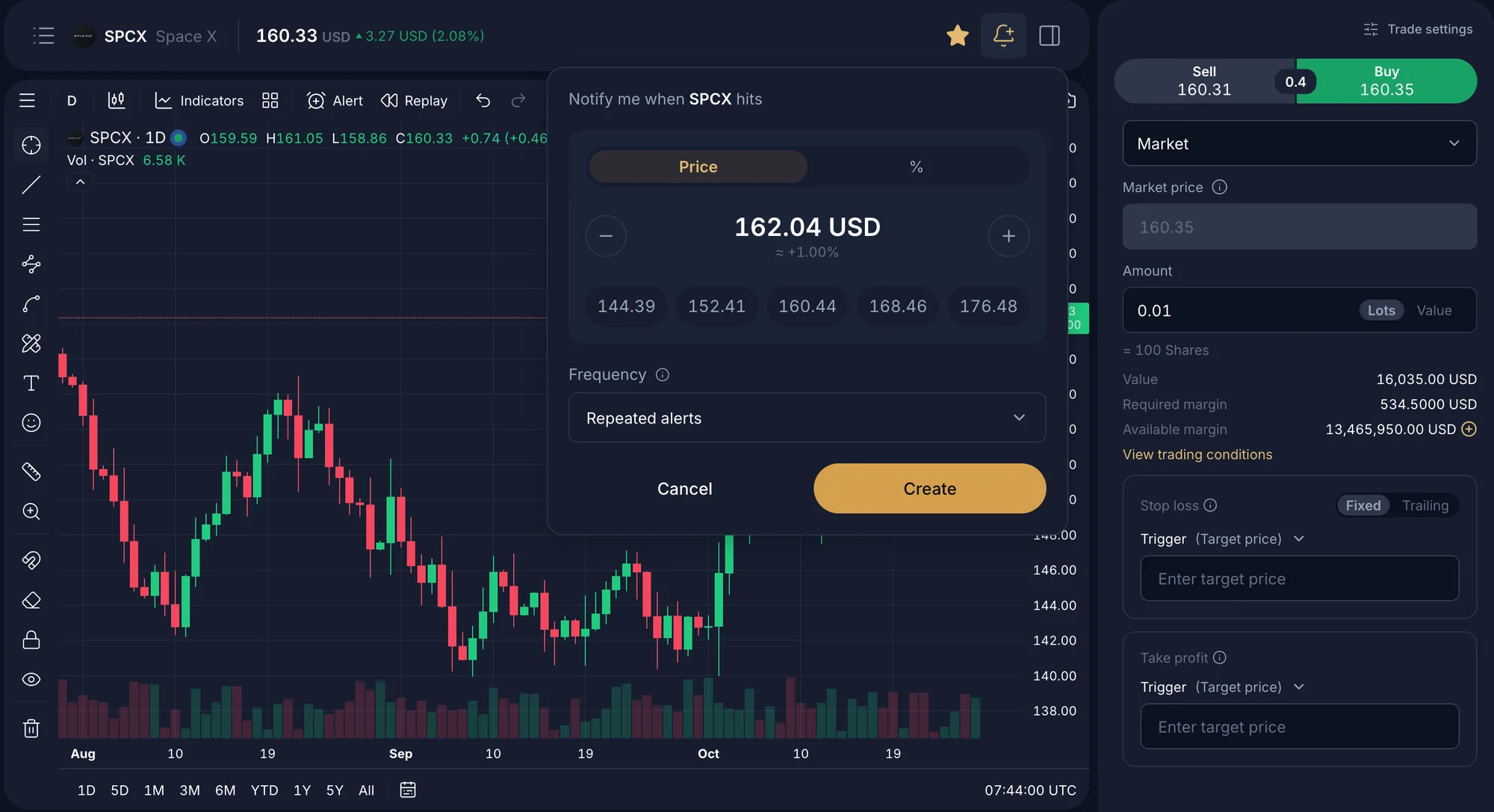
A Sell/Buy toggle shows both prices and the spread between them. Order type comes next, then amount in lots or value with the share conversion shown below, required and available margin, and optional Stop loss and Take profit (fixed or trailing). The confirm button repeats the action (“Market buy”).
UI decision
Each group is its own section in decision order. Inputs show units inline, the active side fills with green or red, and secondary values sit in a lower-contrast grey so the amount you are changing always reads first.
Feature 03
Alerts without leaving the chart
Get told when a price matters, without opening another screen.
UX decision
The bell in the asset header opens a price-alert popover anchored to the chart. Users set a target by price or percentage, nudge it with +/− or pick a preset level, then choose one-off or repeated alerts. The order panel stays live beside it, so setting an alert never interrupts a trade.
UI decision
Preset levels sit in a row of chips for one-tap targets. The live percentage from the current price appears under the value, and the gold Create button matches the brand’s primary action.
Feature 04
Costs and context, one tab away
Know what a trade will cost and what could move the market before committing.
UX decision
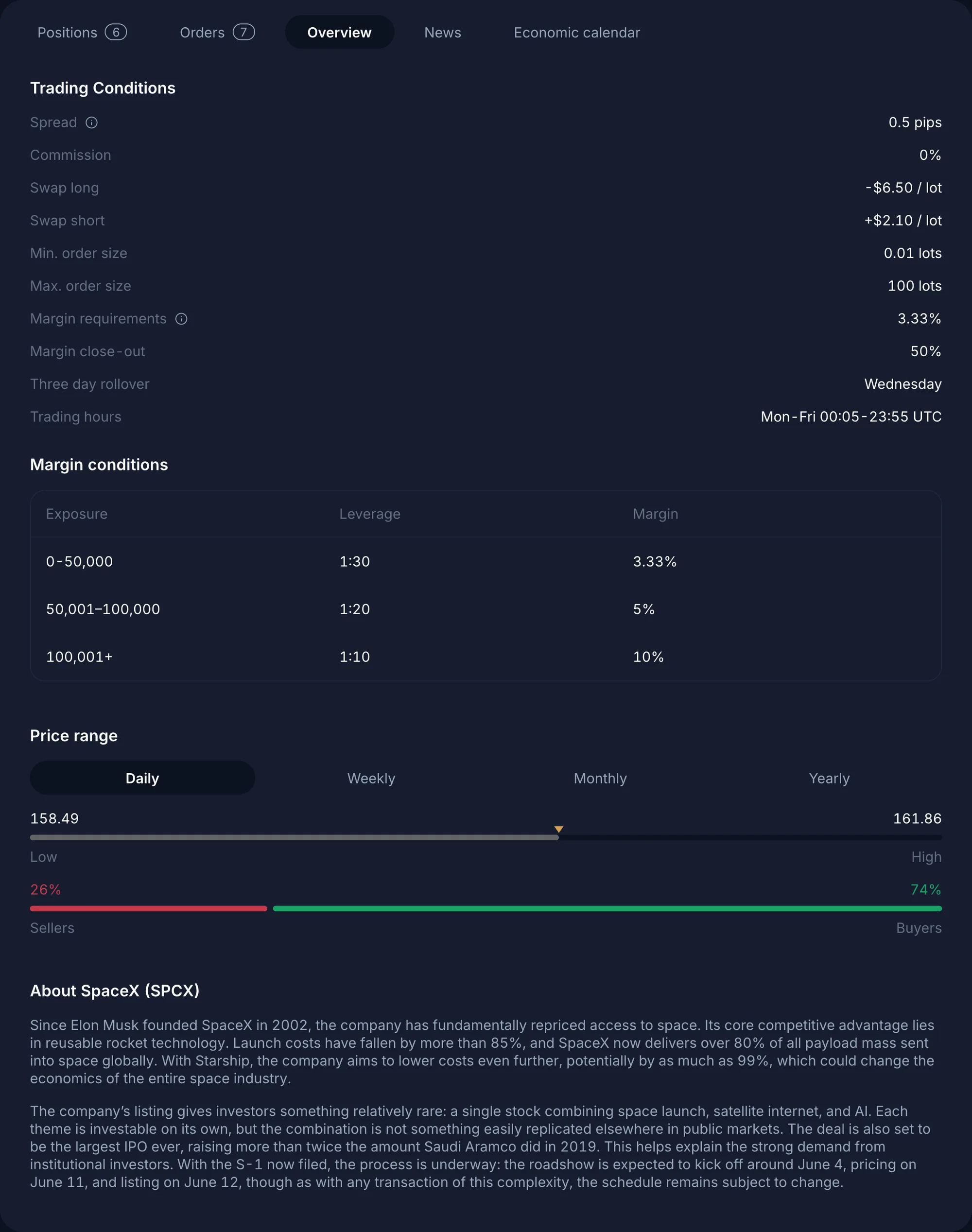
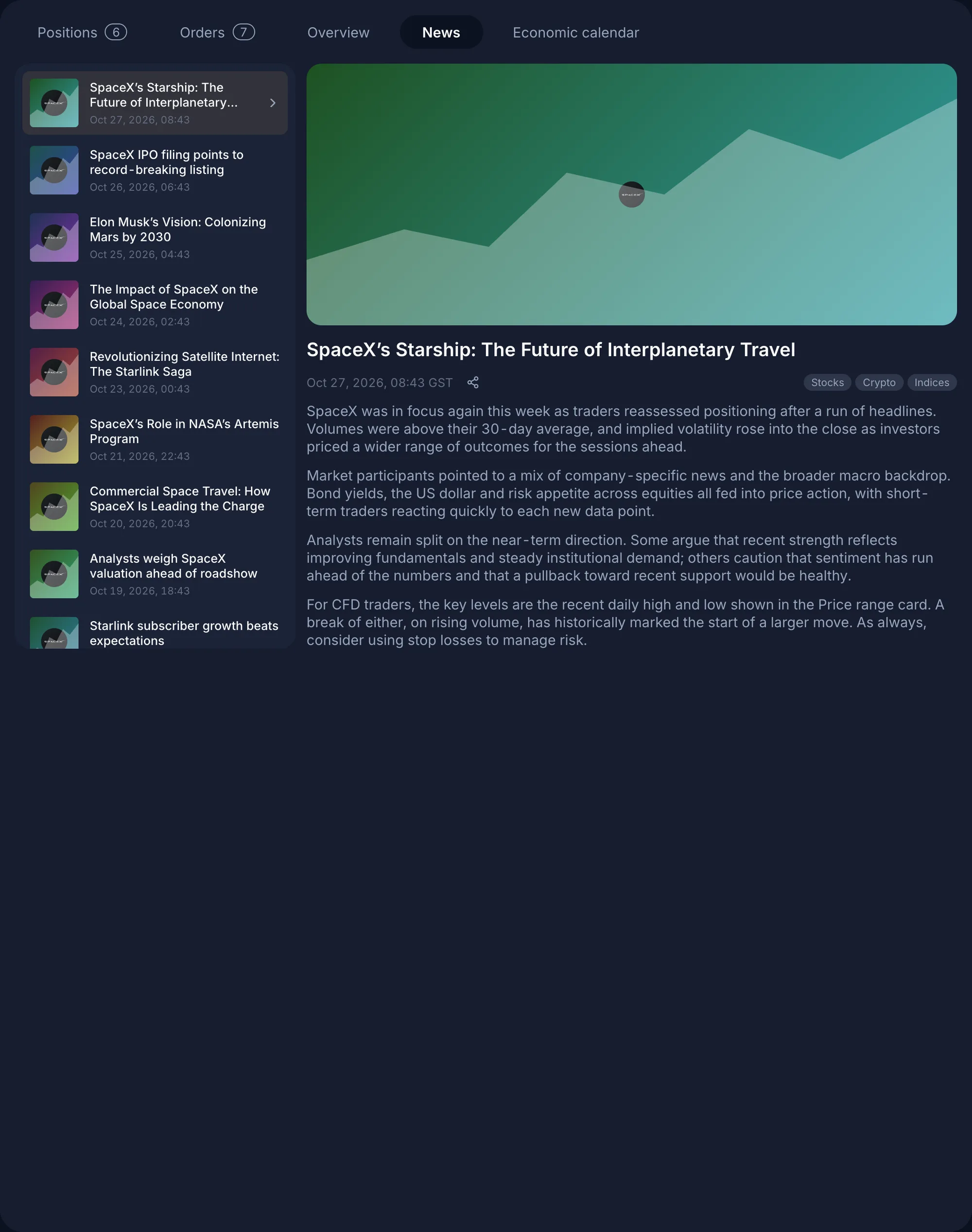
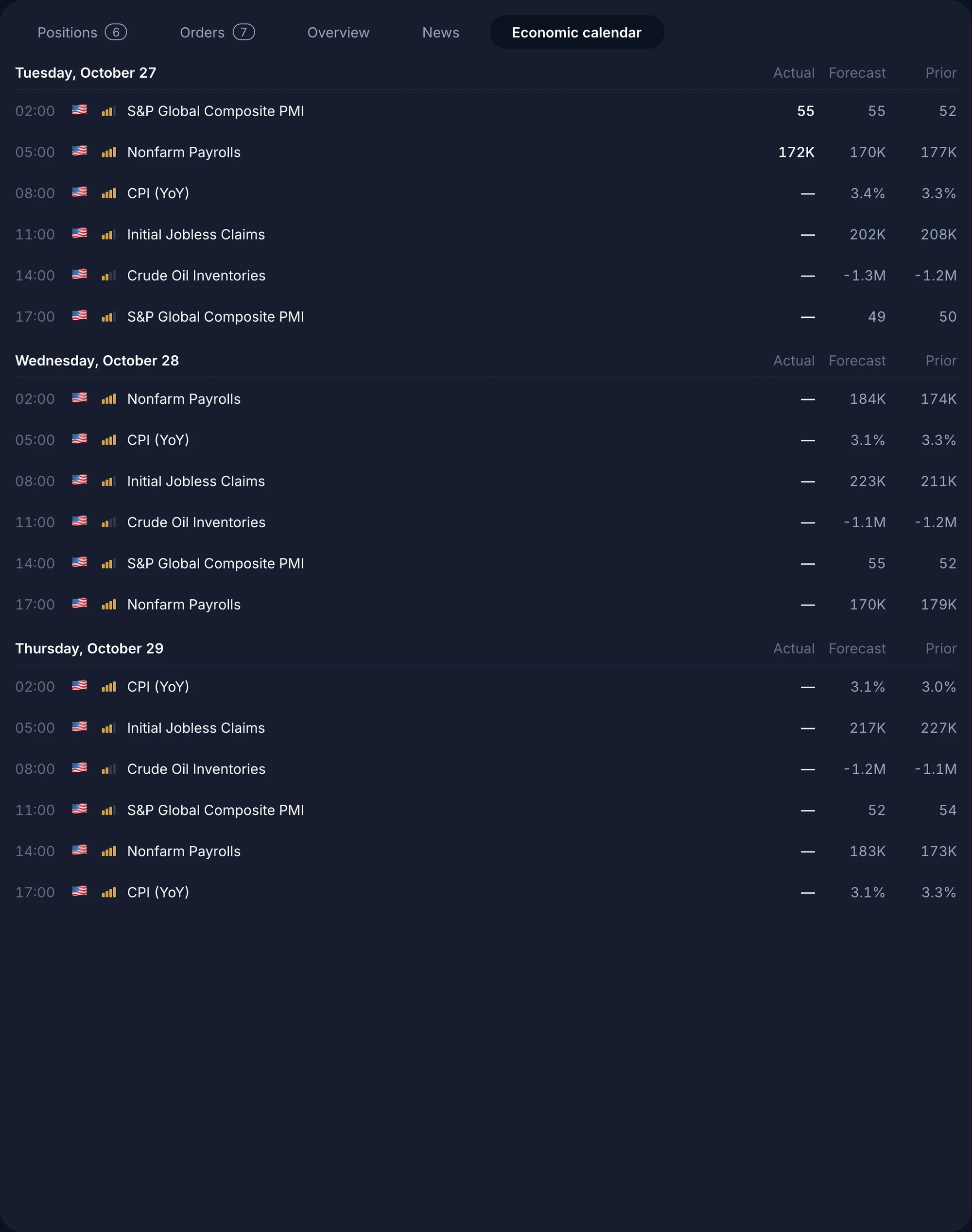
Tabs under the chart (Positions, Orders, Overview, News, Economic calendar) keep context next to the chart instead of on another page. Overview lists trading conditions, margin tiers by exposure, price range and an About section. News pairs a headline list with a reading pane, and the calendar groups events by day with actual, forecast and prior values.
UI decision
Tabular data uses right-aligned numerals and generous row height. The sellers/buyers sentiment bar reuses the mobile pattern, so both platforms feel like one product.
Design system. The visual language underneath.
This uses the same token architecture as the mobile app, adapted for density and a dark-first theme: three navy surface levels, smaller type steps and gold reserved for brand actions.
Typography. Inter. Tabular numerals for prices, compact 12–14px data rows and medium-weight buttons.
Colour tokens
- --surface-page#0B1120
- --surface-card#161D2F
- --brand#D5A04D
- --chip-green-text#21CB80
- --chip-red-text#F5475D
- --text-secondary#97A5BC
Depth through surface tone, not shadow: page, card and layer step up in lightness.
Green and red are reserved strictly for price direction and trade side.
Segmented controls for every binary or small-set choice (Sell/Buy, Lots/Value, Fixed/Trailing, Price/%).
Outcome. What changed.
Rejected orders down 27% after the order panel redesign.
Trades placed with stop loss or take profit attached rose from 22% to 35%.
Web DAU/MAU improved from 0.31 to 0.38 in the quarter after launch.